Popular searches


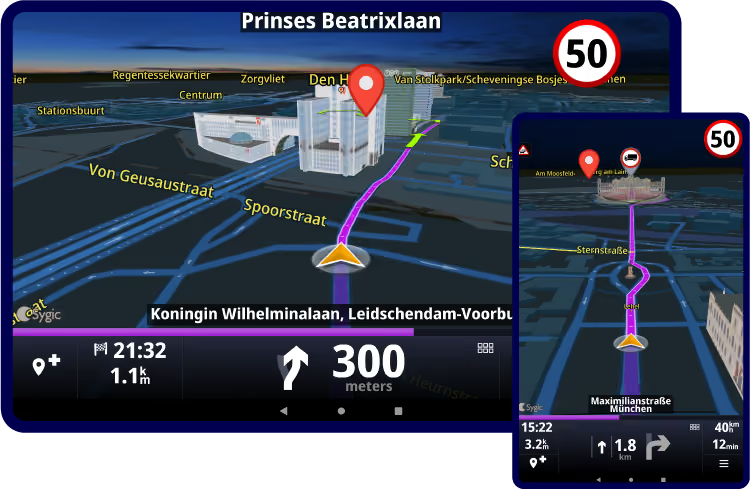
Equip drivers with commercial vehicle navigation designed for daily fleet operations. Use truck-aware routing, offline maps, live traffic, safety features, and routes connected to your planning or dispatch systems.
Best for: Fleets, transport companies, delivery operations, and logistics providers.
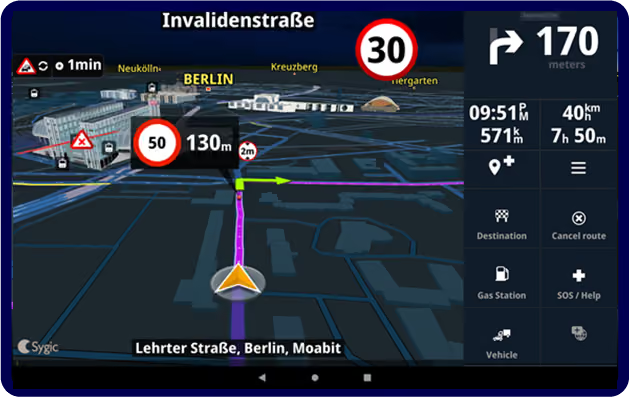
Integrate commercial vehicle navigation into trucks, vans, connected vehicles, or automotive platforms. Build a tailored navigation experience using flexible integration and deployment options.
Best for: Vehicle manufacturers, OEMs, Tier 1 suppliers, hardware providers, and automotive technology partners.
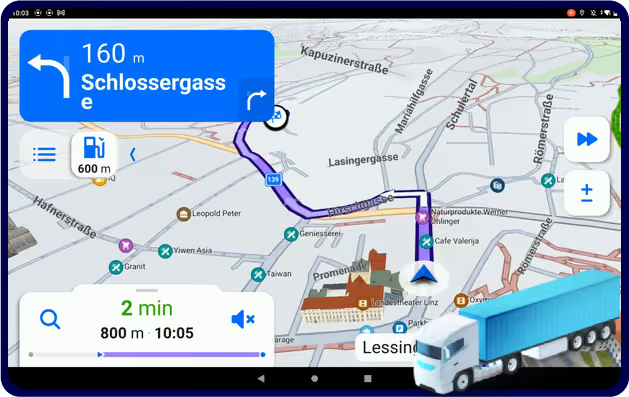
Yes. Sygic Professional Navigation calculates routes based on vehicle dimensions and road restrictions, helping drivers avoid low bridges, weight-restricted roads, truck bans and other roads that may not be suitable for their vehicle. Routing can be tailored to different vehicle types and operational requirements.
Yes. Vehicle profiles include parameters such as height, width, length and weight, allowing the navigation to calculate routes that better match the vehicle being driven.
Yes. Sygic Professional Navigation supports routing for vehicles carrying dangerous goods, helping fleets follow routes that consider applicable restrictions and regulations.
No. Sygic Professional Navigation supports a wide range of vehicles, including trucks, vans, buses, cars, coaches, emergency vehicles, waste collection vehicles, service fleets and other specialized vehicles.
Yes. Sygic Professional Navigation uses offline maps stored directly on the device, allowing drivers to continue navigating even in areas with limited mobile network coverage or no internet connection.
Yes. Offline navigation includes route calculation using the selected vehicle profile and map data available on the device, so drivers can continue navigating when connectivity is unavailable.
Yes. Precomputed routes planned in a fleet management, transport management or other external system can be sent to Sygic Professional Navigation. The navigation then guides the driver along the predefined route, rather than calculating a new route between the destination points.
Yes. Routes and destinations can be sent from dispatch, telematics or fleet management systems directly to Sygic Professional Navigation. This helps reduce manual destination entry and supports more consistent route execution.
Yes. Sygic Professional Navigation offers several integration options that enable route and destination data to be exchanged with third-party systems.
Yes. Many software providers integrate Sygic Professional Navigation directly into their solutions. Depending on your requirements, navigation can be embedded within your application, launched as a separate app, or connected through light weight integration methods.
Yes. Sygic Professional Navigation includes an SDK that allows businesses to integrate navigation functionality into their own products and workflows.
Yes. The available SDK and integration options enable applications to access navigation-related information such as ETA, route progress, remaining distanceand other navigation events.
Sygic can work with additional custom data overlaid on top of standard maps, mainly ascustom POIs or GEO features representing infrastructure such as utility lines, pipelines, or unmapped roads.
The system can notify dispatchers and drivers when a vehicle enters or is within apredefined geofence. Additional information, such as custom speed limits, can also be included. To learn more, go to GEO features.
Yes. Sygic Professional Navigation supports Android, iOS and Windows devices, making it suitable for a wide range of commercial deployments, from in-cab tablets and smartphones to dedicated fleet hardware. This gives businesses the flexibilityto use the devices that best fit their operations while providing drivers with a consistent navigation experience.
Yes. Sygic Professional Navigation is designed for business deployments ranging from small fleets to large enterprise operations and can be managed as part of broader fleet technology ecosystems.
Yes. Businesses can centrally manage their deployment to simplify administration and support consistent use across the fleet. Sygic Professional Navigation also supports deployment and management through mobile device management (MDM) solutions, helping organizations distribute the app, configure devices and maintain control from a central location.
Yes. Sygic Professional Navigation supports vehicle-specific settings, allowing drivers to select or use the profile appropriate for the vehicle they are driving.
Yes. Sygic Professional Navigation can use live traffic information to help drivers avoid delays and improve estimated arrival times.
Yes. Sygic Professional Navigation includes features designed to support safer driving, including route restrictions, driver assistance capabilities and other safety-focused functionality.
Sygic Professional Navigation supports map data from multiple providers, including HERE and TomTom.
Yes. Sygic Professional Navigation can be integrated into automotive systems, enabling vehicle manufacturers, fleet technology providers and mobility solution providers to offer professional navigation directly within the vehicle environment. The solution supports customization, integration with vehicle systems and commercial vehicle routing capabilities tailored to specific business requirements. Learn more about automotive integration solutions here.
Yes. Many businesses start with a trial or pilot project before rolling the solution out across their fleet. Contact our team to discuss a trial and determine the best setup for your use case.
Pricing depends on factors such as functionality, integration requirements, deployment model, fleet size and region. Contact our team and we'll prepare a proposal based on yourspecific needs.
Tell us what you use today and what you need navigation to do. We will help you find the right fit, answer pricing questions, and guide you through the next step.