GTM debug

SDK customization

SDK customization for fleet navigation

Use SDK integration and configuration options to adapt Sygic Professional Navigation to your app workflow, from route handover and vehicle parameters to map content and activation support.

Navigation that fits the way your routes are managed

When routes, stops, vehicle profiles, and driver instructions already live in another system, navigation needs to connect smoothly without adding extra steps for drivers or dispatchers.

Route handover

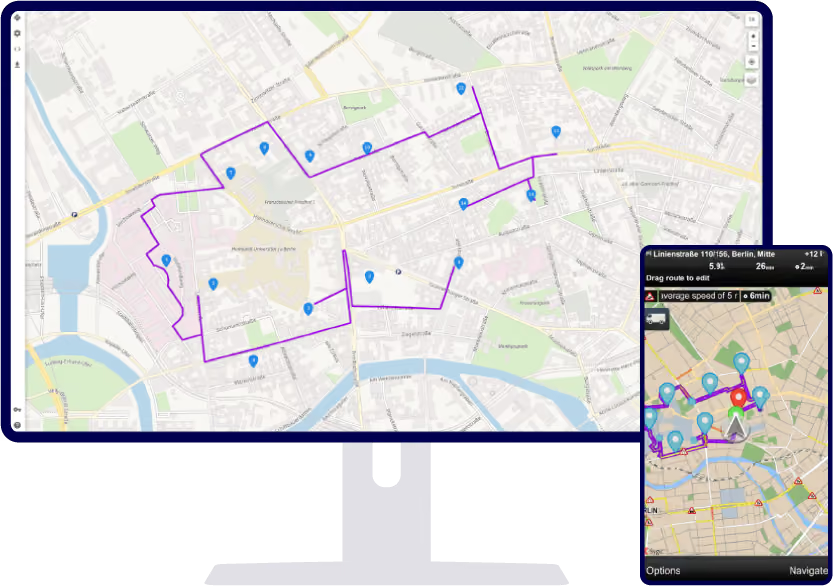
Send a single destination, a series of stops, or an exact route from your system into Sygic Professional Navigation.

Vehicle parameters

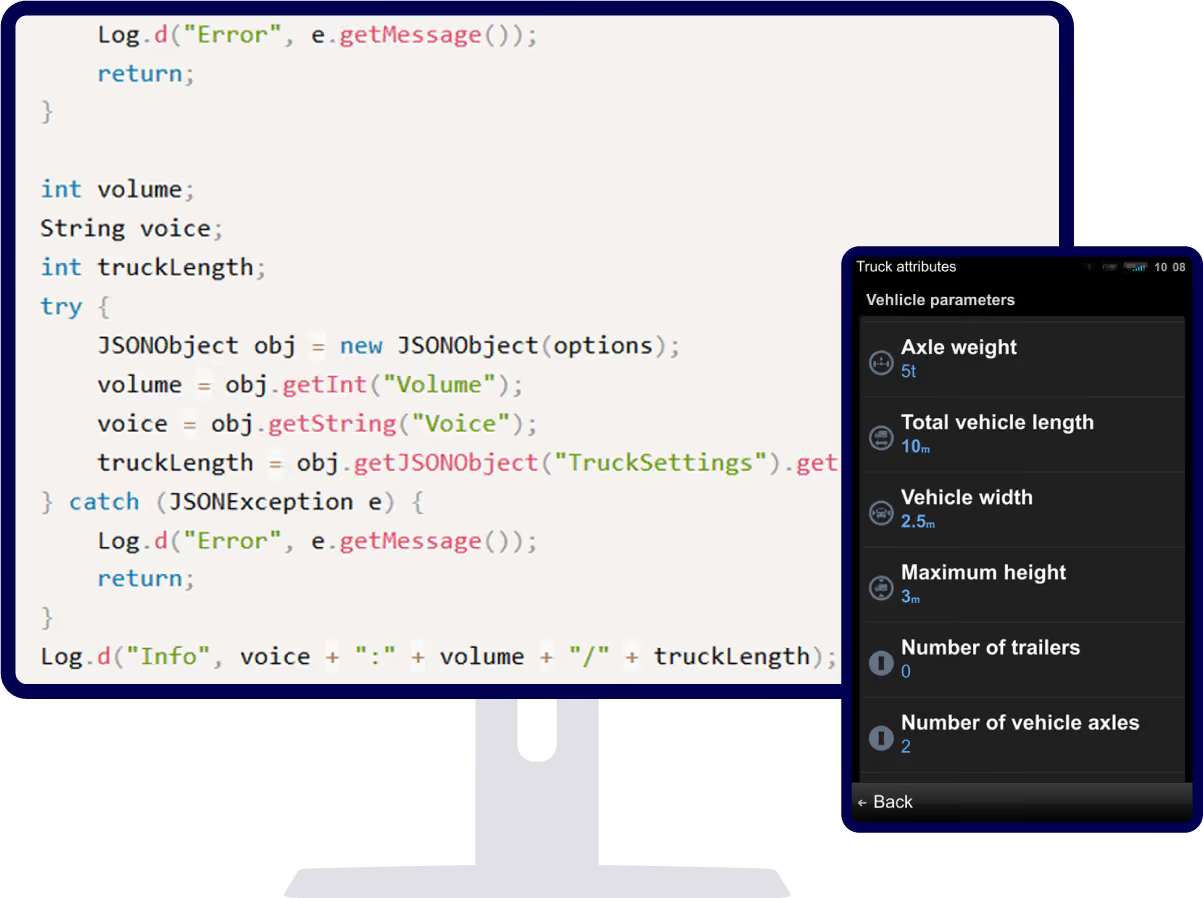
Set vehicle dimensions and truck-related road attributes so navigation can account for restrictions linked to the vehicle or cargo.

Driver alerts and messages

Send route-related messages, spoken alerts, or confirmation prompts to drivers inside Sygic Professional Navigation.

Map content and configuration

Add selected map content, configure application settings, prepare installation packages, adapt hardware controllers, and support license activation.

FMS/TMS integration and route handover

Connect Sygic Professional Navigation to the systems where routes, stops, and driver tasks are already managed.

  • Send a single destination, a series of stops, or an exact route into navigation
  • Add waypoints to an existing itinerary where supported
  • Show ETAs for stops where supported
  • Reduce manual steps between your system and driver guidance

See Navigation APIs

Send vehicle parameters to navigation

Pass vehicle dimensions and truck-related road attributes from your system into Sygic Professional Navigation so drivers do not need to set them manually.

  • Vehicle dimensions and cargo-related settings are passed automatically
  • Drivers avoid manual setup errors before the route starts

See Settings APIs

Driver alerts and messages

Show important information directly inside the navigation flow.

Send flash messages, text-to-speech alerts, or confirmable messages to the driver. Messages can also be linked to a place on the map, helping drivers understand what the information refers to without leaving navigation.

  • Flash messages shown directly in navigation
  • Text-to-speech alerts for the driver
  • Confirmable messages that need driver acknowledgement
  • Messages linked to a place on the map

See Dialog APIs

Map content, configuration, and activation

Adapt navigation setup to your deployment with supported configuration and map content options.

  • Add Geometry Files, Geofence RAD files, Route JSON files, icons, and pictures to the map
  • Support application settings, menu setup, and hardware key mapping
  • Prepare installation packages and device identification
  • Handle license activation

See Maps APIs

What SDK customization helps you improve

Faster setup and rollout

Use SDK integration, configuration files, and documentation to connect Sygic Professional Navigation to your app workflow with less development from scratch.

Fewer manual steps for drivers

Send destinations, stops, exact routes, and vehicle settings into navigation, so drivers can start guidance without re-entering route or vehicle details.

Seamless integration

Connect navigation to the way routes, stops, messages, and map content are already managed in your system.
Navigation map icon showing streets, parks, and a blue route line with a directional arrow.

Deployment support beyond the app

Support installation packages, device identification, hardware controller adaptation, configuration files, and activation options for real fleet environments.

Use cases

See how fleets use Sygic navigation

Transport & logistics

Automatically avoid roads unsuitable for trucks, special cargo, or hazardous materials bz setting vehicle-specific routing parameters.

Multi-stop delivery

Optimise routes with 10 to 200+ stops, reduce missed delivery windows, and align dispatchers with drivers, all with real-time traffic adaptation.

More industries we serve

We also cover field service, construction, agriculture, utilities, and emergency response.

Talk to an expert

Tell us about your fleet and current setup. Whether you need pricing, want to explore a free trial, or have technical questions, we're here to help.

Mail box

Let´s talk

Success
Thank you! Your submission has been received!
We will contact you soon
Oops! Something went wrong while submitting the form.