Popular searches


With growing requirements around monitoring drivers’ working hours and the increasing complexity of tachographs, transport and logistics companies face new challenges. In this article, Inelo experts share their observations and recommendations regarding the most common tachograph issues. Reviewing these tips can help companies avoid serious consequences during inspections.
.webp)
“The card ejected on its own,” or the error “Last card session not properly closed” – this is a very common irregularity that requires verification before calculating driver working hours. The issue may stem from a physical problem with either the driver’s card or the tachograph itself, resulting in incorrect data recording.
Typically, the scenario looks like this: the driver’s card is ejected unexpectedly, and the data written on it is inaccurate. In such cases, activities may be recorded incorrectly—for example, the entire period may be logged as rest time even though the driver was driving, or a continuous driving session of 20 hours may appear, even though the driver actually took breaks. Sometimes, when the card is reinserted, the tachograph requests a manual entry for the entire period during which the driver operated the vehicle.
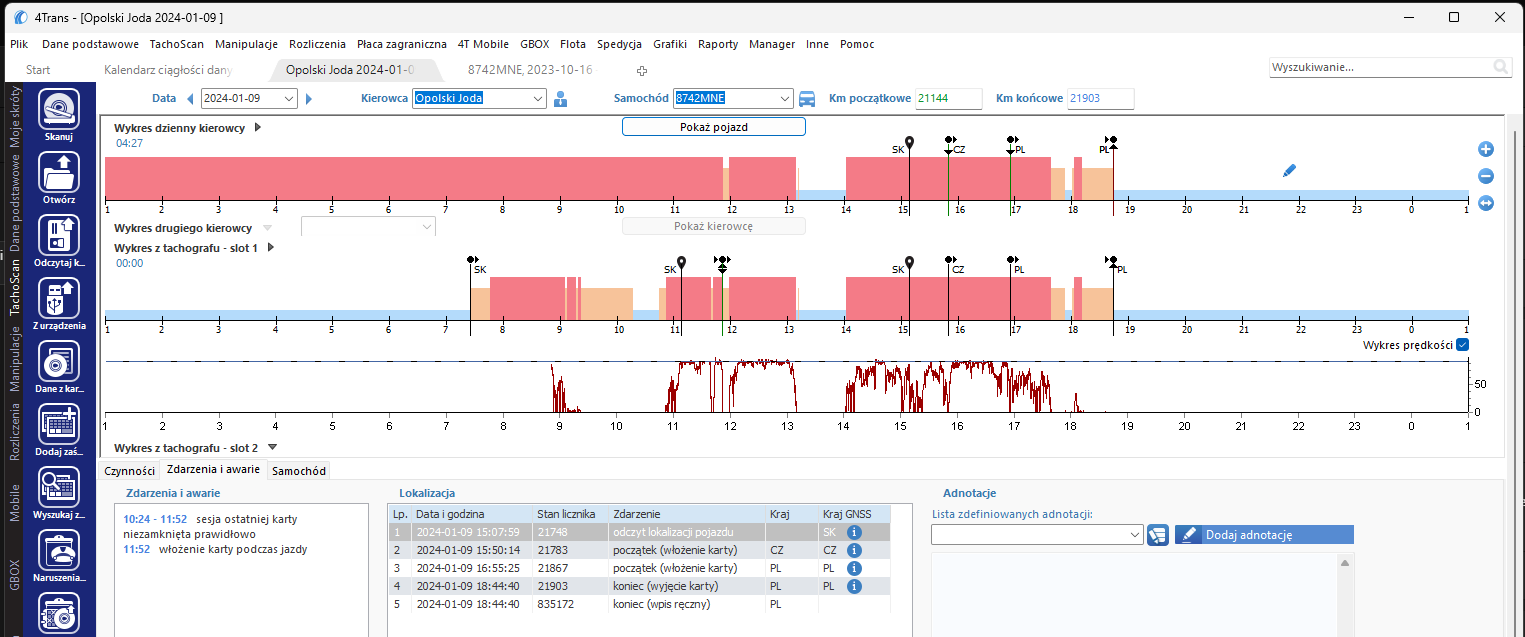
As shown in the 4Trans software example from Inelo, one driver’s card recorded continuous driving from 01:00 to 11:52, which in reality did not occur. In this case, the tachograph data was correct and should be used in the settlement. The occurrence of such errors can be verified, among other ways, by reviewing manipulation alerts in the 4Trans system.
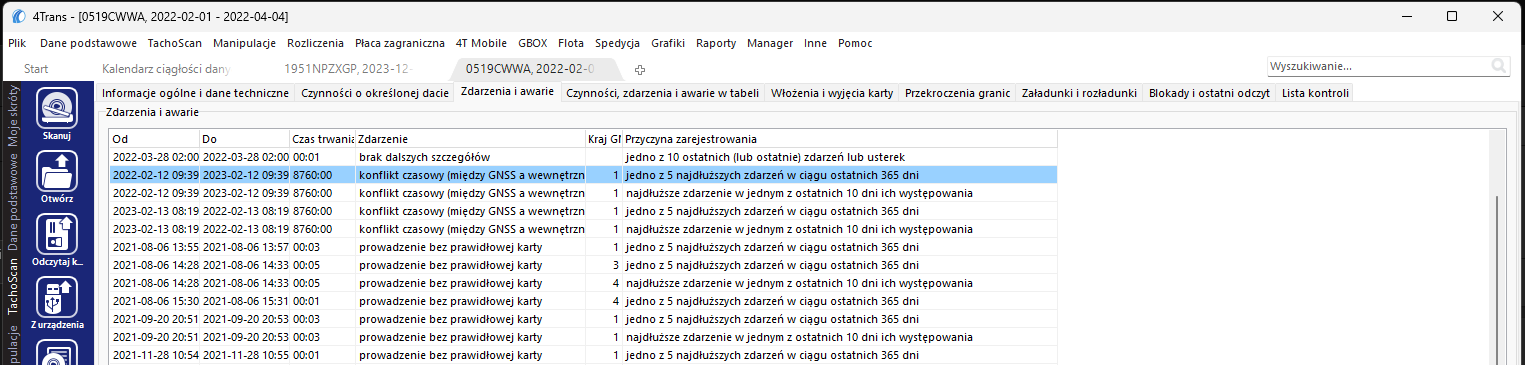
“Time travel” – automatic tachograph calibration based on incorrect GNSS data
In this error, the tachograph alters the UTC time at which it records data due to faulty GNSS signals. The result can be a “time jump” of, for example, a full year. For one or two days, the tachograph records data as if it were in the future, before returning to normal. Unfortunately, without OSNMA technology, it is not possible to prevent such incidents. This can also cause later complications, since the driver may eventually need to replace their card to avoid double entries being recorded a year later. Thankfully, such cases are very rare.
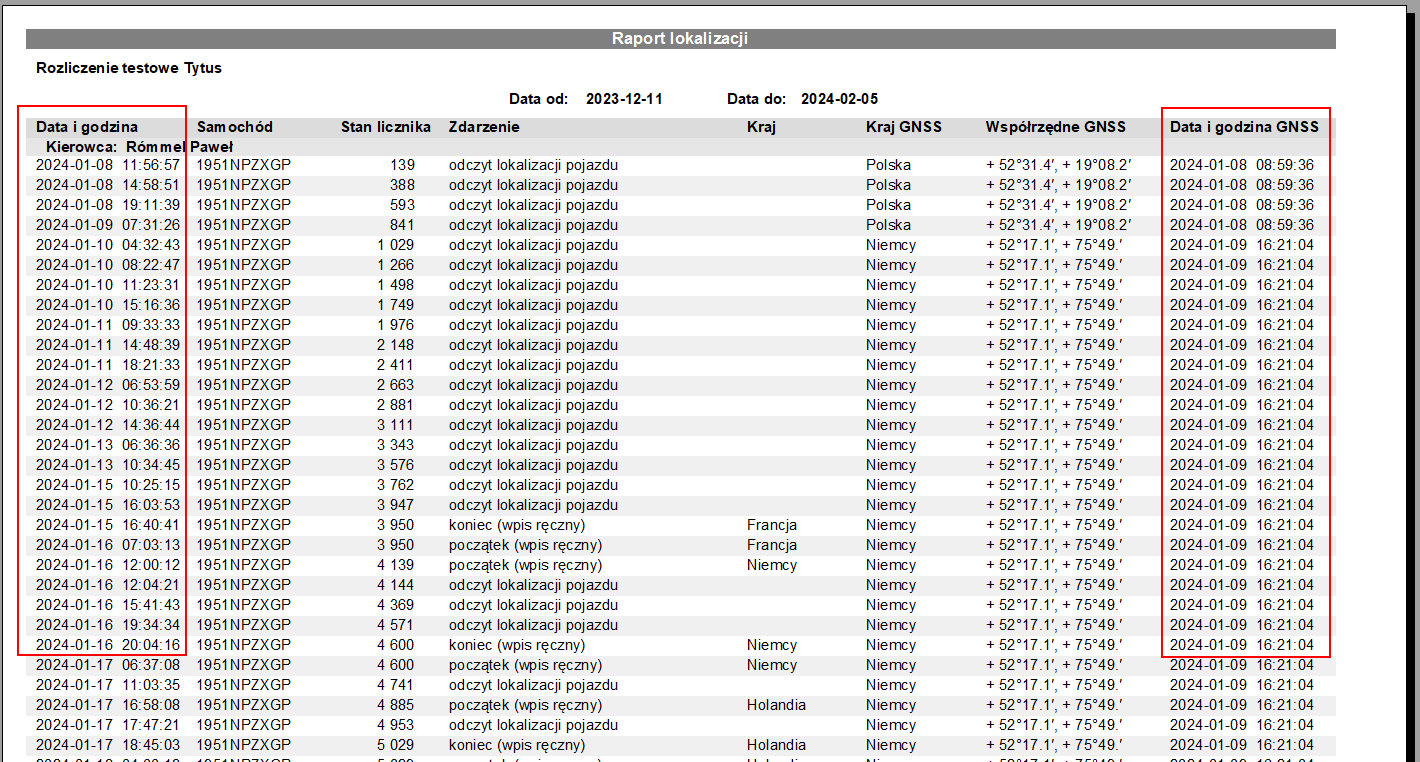
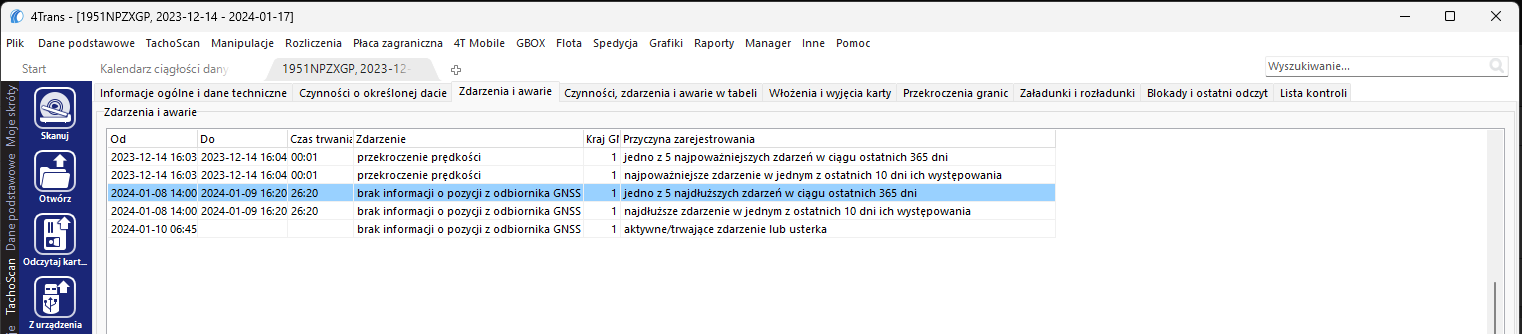
GNSS position freezing
Occasionally, tachographs fail to update GNSS positioning, displaying a message that no GNSS signal is available. If this happens frequently and not, for example, during tunnel passages, the tachograph should be inspected by a service centre.
Technical certificate error in VDO G2V2 tachographs
In files downloaded from VDO G2V2 devices, an invalid signature may be present in the technical section, preventing upload into the software.
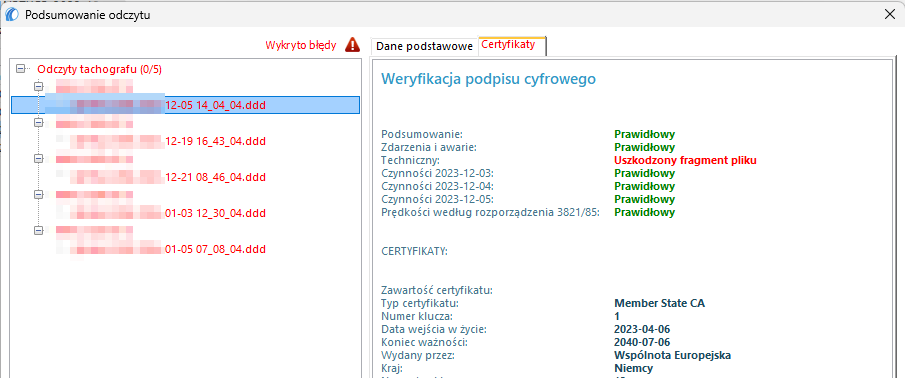
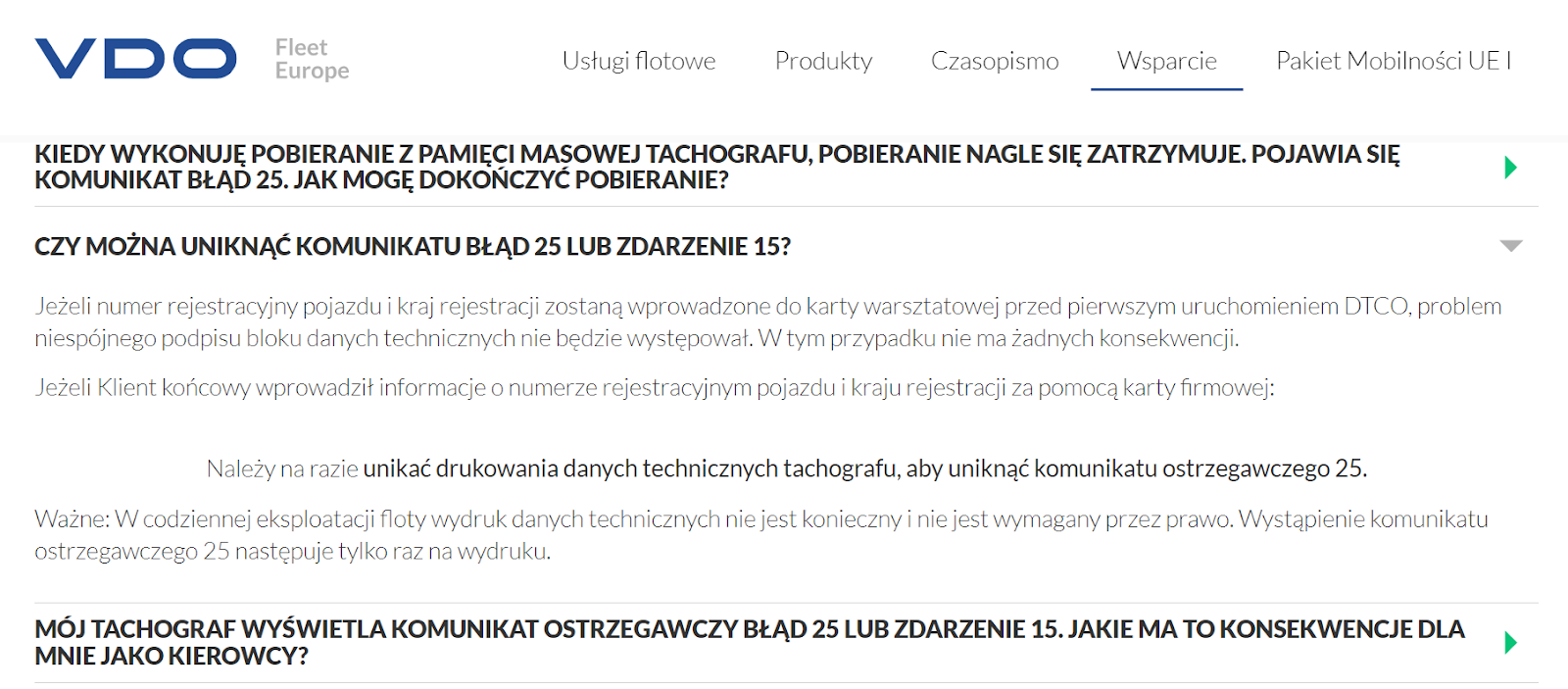
This problem can also occur when attempting to print technical data from a vehicle. It typically arises if the license plate number was first entered into the tachograph using a company card. The manufacturer has identified the issue and issued an official statement on its website.
“Hardware tampering” message or “GNSS anomaly” error in Stoneridge G2V2 tachographs
The manufacturer has issued service instructions on how to proceed in the event of these errors. The relevant documents are available in English in two attached PDFs.
Finally, we invite you to attend our free webinars, where we provide essential knowledge on these and related topics.

.png)